ShiftCompass Open the live demo

Rules in plain English. A schedule that is proven, explained, and auditable.

ShiftCompass builds a residency program's block and call schedules from rules the coordinator writes in ordinary sentences. Every cell can say why it is what it is.

No sign-in for the demo. Lakeview, the program in it, is made up.

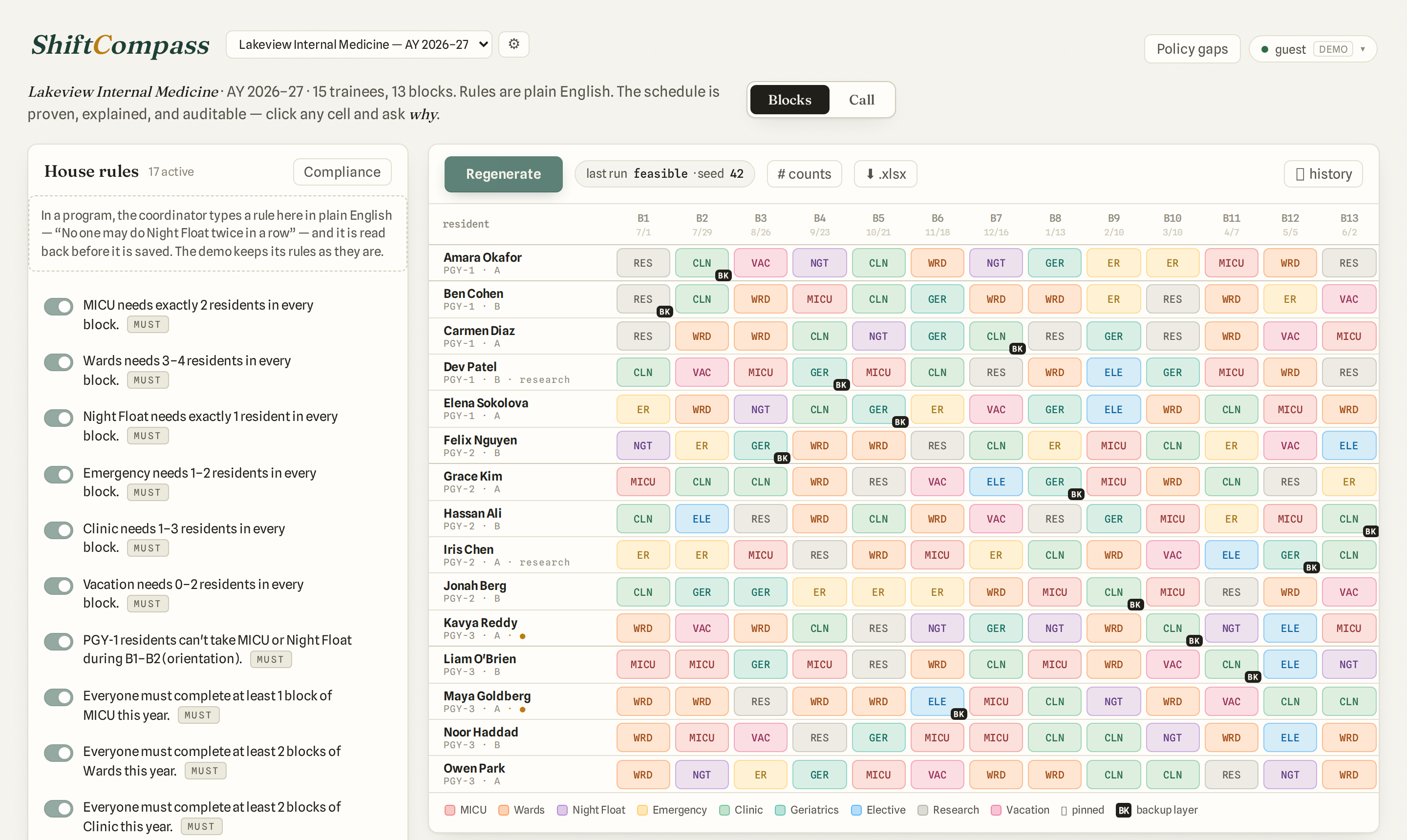
The ShiftCompass block schedule for Lakeview Internal Medicine: house rules on the left, the year grid of rotation chips on the right.
Lakeview Internal Medicine: 15 residents, 13 blocks, a year of rotations and call. Every screenshot on this page is Lakeview.

How a schedule gets made.

1

Say the rule.

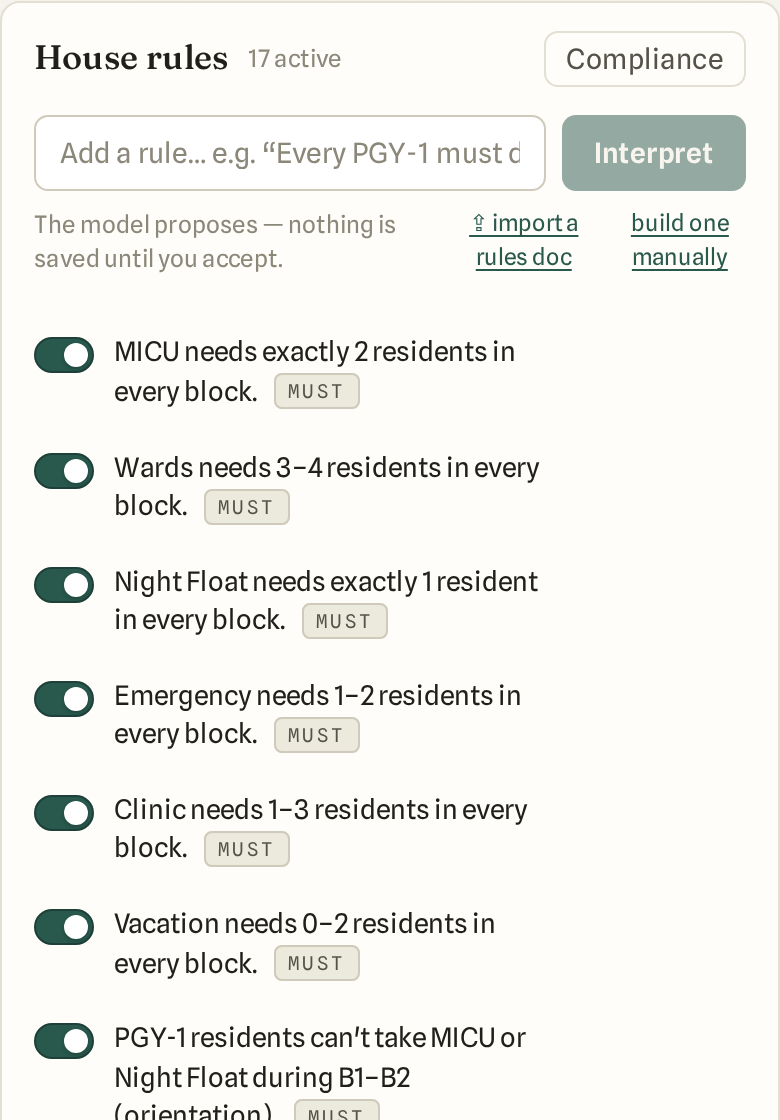
Type it the way you would say it: “MICU needs exactly 2 residents in every block.” ShiftCompass reads it back in its own words and saves nothing until you accept. A rule is a must, a should or a nice, and any rule can be switched off without deleting it.

The House rules panel: seventeen rules as plain sentences, each with a switch and a must/should/nice tag.

2

Generate.

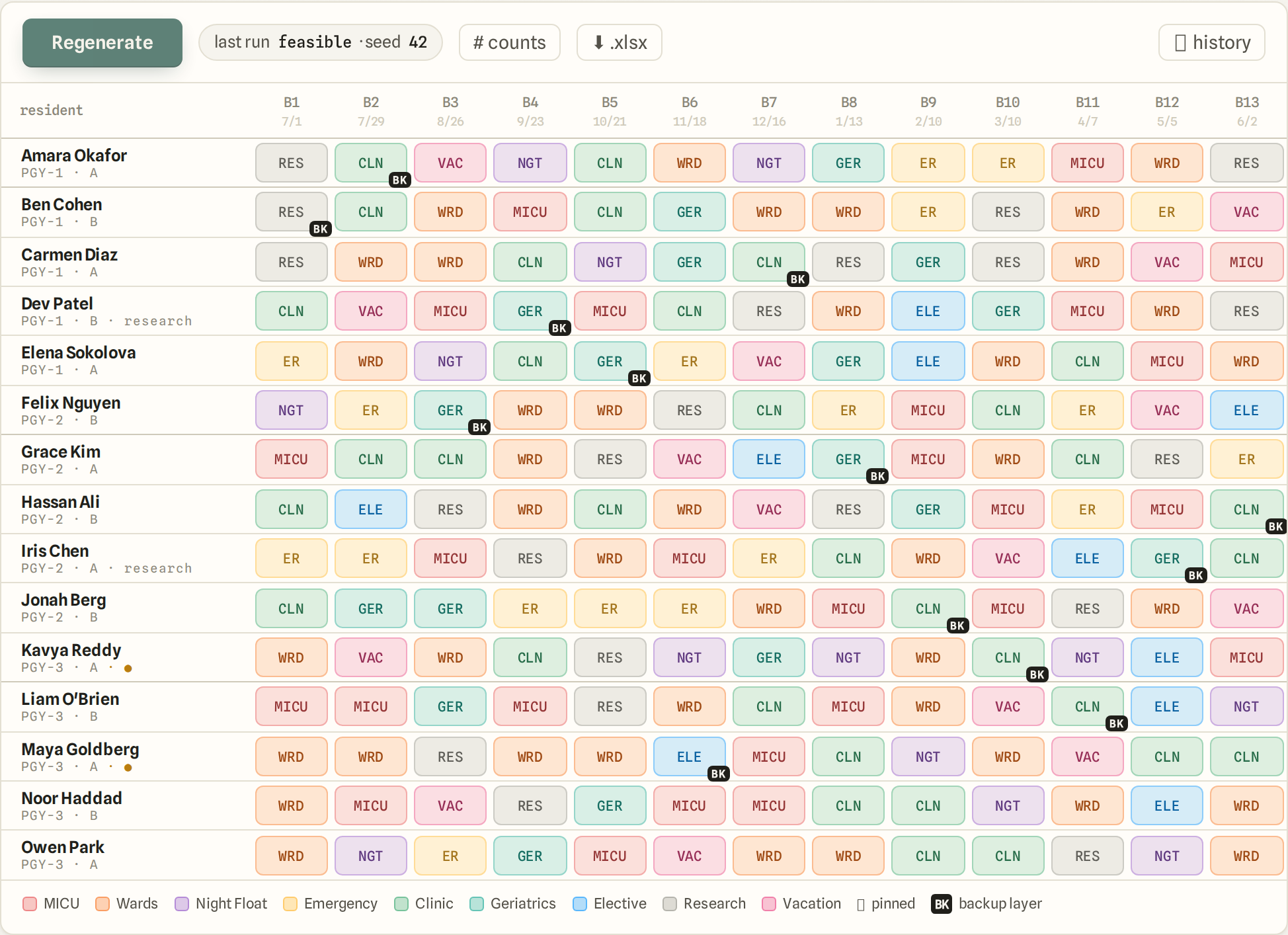
Every rule that is on holds in the schedule that comes back. When the rules can't all hold at once, the run says which ones collide and who is affected. Cells you have already decided stay pinned; the rest are filled around them.

The generated year grid: one row per resident, one column per block, a colored rotation chip in every cell.

3

Ask why.

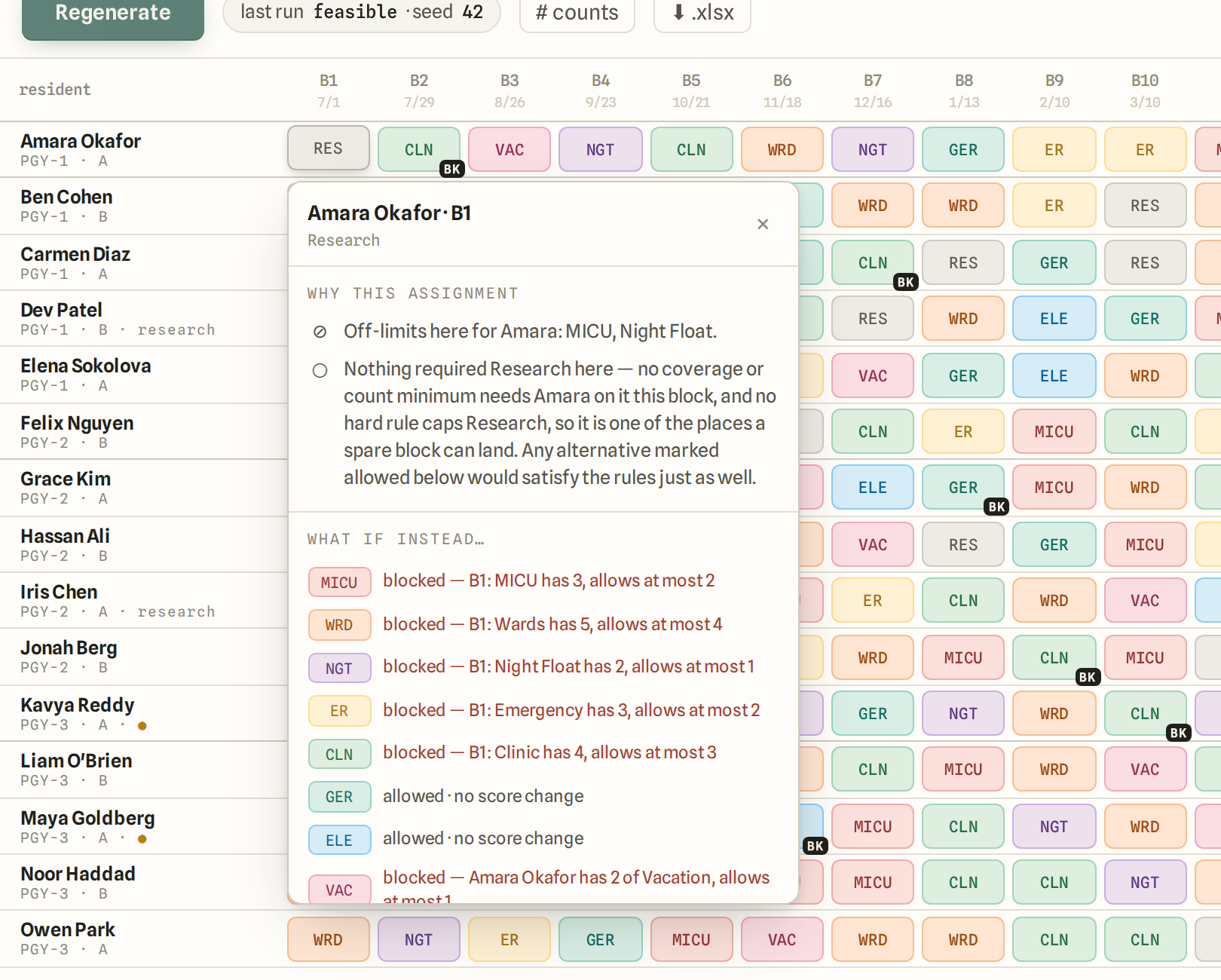
Click any cell. It lists the rules that put that rotation there, what else was possible, and what blocked each alternative — the same reasons the generator used, read back in sentences.

A cell's why: Amara Okafor, block 1, Wards — the rules behind the assignment and what would have blocked each other rotation.

The year plan, the call layer, and the record of both.

  • Block schedules. The year plan: rotations across blocks, per resident, with pinned cells for what is already decided.
  • Call schedules. Generate call from the same rules, or upload the call workbook you already have and audit it: double bookings, unfilled slots, call-off requests, hour budgets.
  • House rules. One ledger of every rule, in sentences. Compliance re-checks each one against the current schedule with an independent checker.
  • Resident preferences. A portal form for ranked vacation choices and rotations to avoid. Preferences are data, not rules: they never outrank program policy.
  • Imports and exports. Bring in the schedule you already have as locked cells, import a rules document, export any run to Excel.
  • An audit trail. Every change — a rule, a pin, a roster edit, a run — is recorded with who and when. Past runs stay readable.
  • Ask. Questions about the program's own schedule and rules, answered from its data with citations.
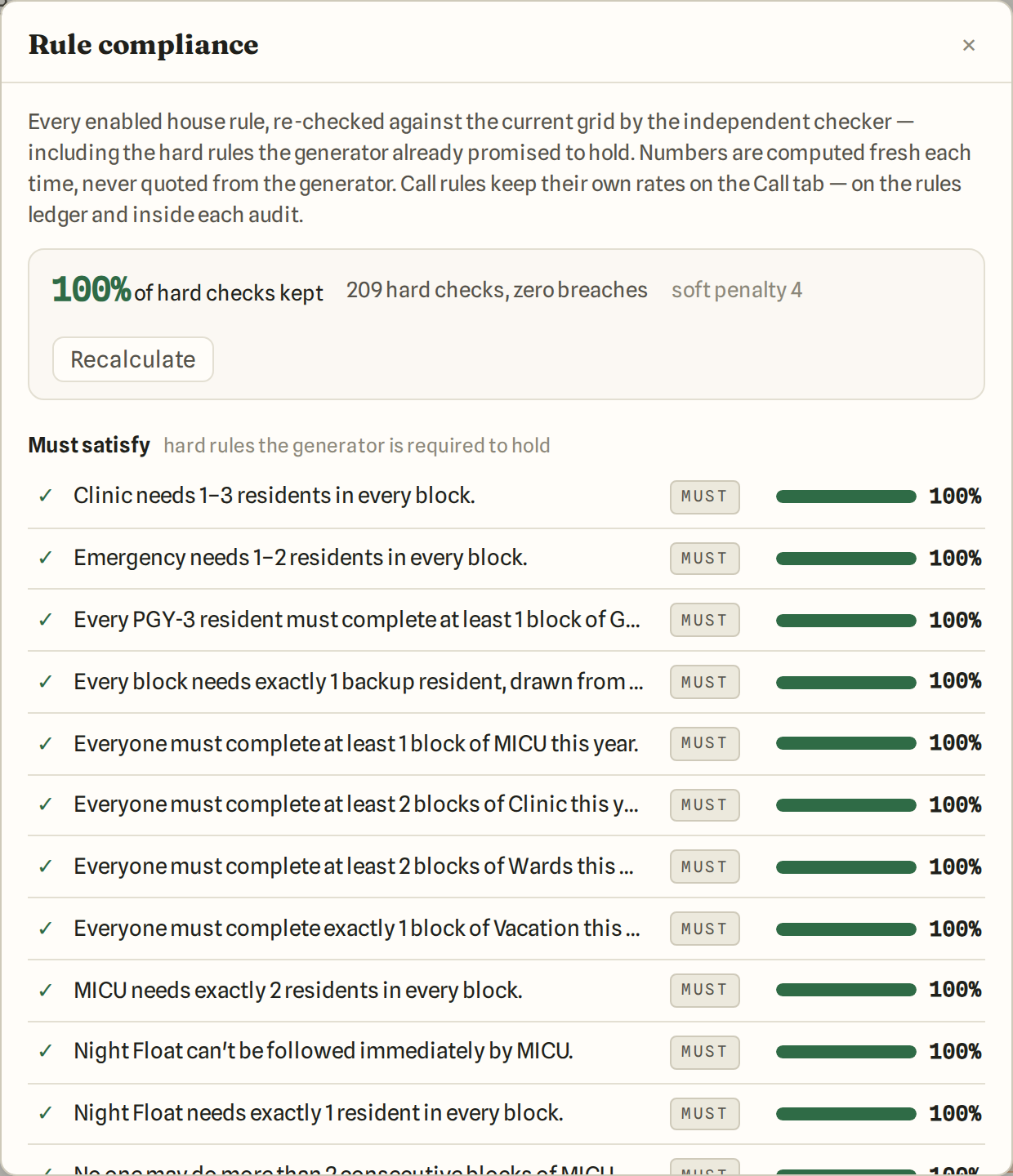
Rule compliance: 100% of hard checks kept, 209 hard checks, zero breaches, each rule listed with its own bar.
Compliance, after a run: every rule re-checked, each with its own number.

A walk through the app.

Video coming soon.

Look at anything. Nothing you click changes anything.

The live demo opens without a sign-in, on Lakeview: made-up residents, real rules, a generated block schedule and a generated call schedule. Read every rule, click every cell and ask why, run Compliance.

Open the live demo Live demo: coming shortly.

Talk to us.

If you coordinate a program and want to see ShiftCompass on your own rules and roster, write to us.

Write to us Contact address: to come.